Zangle - Assigned Category Weights
There are many valid ways to set up a grading scheme. But depending on the decisions that a teacher makes, he/she can emphasize different aspects of the class. This discussion addresses amethod where pre-determined weights are assigned to each category. This allows a teacher to emphasize a particular aspect of his/her curriculum, without having to match points between all assignments for the semester. A general discussion of this method is posted elsewhere.
Gradebook Setup - Class Options
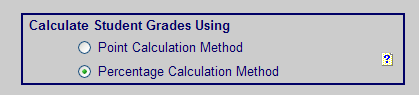
The critical setting under Class Options is to choose Percentage Calculation Method
Class Grading Scale
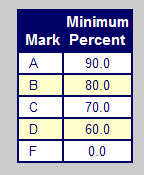
The Class Grading Scale remains the same as ever.
Assignment Categories
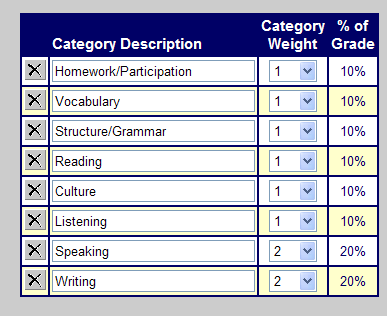
As you enter Category Weights in the Assignment Categories, the % of Grade will change automatically. Your weights do not have to add up to any number in particular. The percentages will always add up to 100%. Weight the categories in accordance to the importance to you of your students' work and your curriculum. Your categories may be the traditional Homework / Quiz / Test / Participation instead.
Add Assignments and Grades
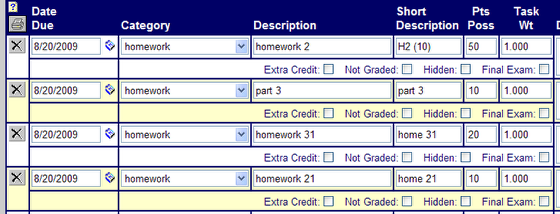
When you add your assignments, be sure to choose the appropriate Category. The Points Possible can vary between assignments within a category. In this case, the first assignment is worth 5 times as much as the second.
Create Progress Reports
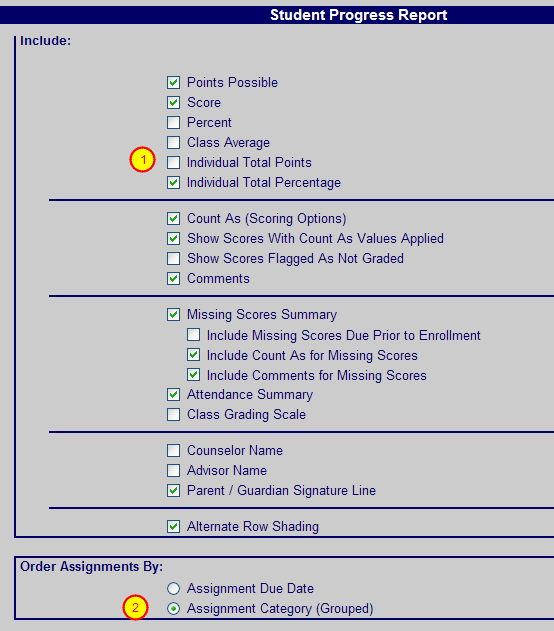
When creating the Progress Report (Zangle Reports / Gradebook / Student Progress Report) there are two IMPORTANT changes to make!
1) Do NOT include Individual Total Points. This will be discussed in the next step.
2) Change to Assignment Category (Grouped). The category grades will not show without this.
Sample Progress Report
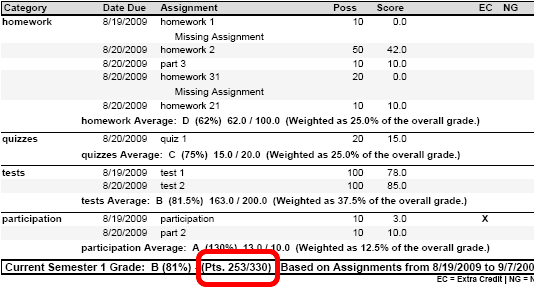
This is a sample progress report, showing the four category averages, as well as the weighting and the overall average.
Note the Total Points earned and Possible Points (red oval). This is NOT how the grade is calculated, because it is using the weighted averages instead. This 253/330 points will only serve to confuse the issue! To keep this from showing, you DESELECT the Individual Total Points as shown with (1) in the previous step.
In the future
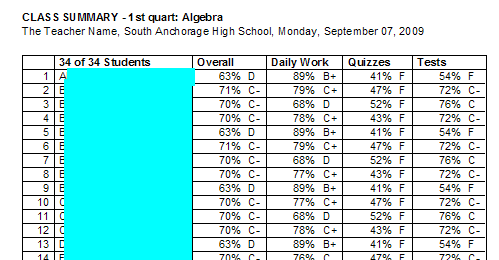
I will be asking the Zangle team to produce a one-page report showing the category averages and the overall averages as shown in this report from another program. I hope that after things settle down, that it will be possible. I found it to be a very powerful summary for my own use.